Time Machine
Automatic hourly versioned backup with an interface people were willing to look at. Its real achievement was getting ordinary users to keep a backup at all.
At launch
Your whole Mac, backwards through time.
Overview
Time Machine's trick was not the copying — plenty of software copied files. It was the interface: a starfield, your window receding into the past, and a timeline down the right-hand edge you could scroll through until the file you deleted came back.
Leopard was delayed by six months because engineers had been moved onto the first iPhone, and it arrived carrying three hundred advertised changes: Spaces, Quick Look, Cover Flow, Stacks, a reflective Dock, a translucent menu bar, and Boot Camp in the box. It was also the last release to run on PowerPC Macs.
Time Machine
Hourly snapshots for a day, daily for a month, weekly until the drive fills, using hard links so unchanged files were never copied twice. Plug in a disk and the Mac simply asked whether to use it.
The same window, receding through its own history
Features
Three hundred changes, Apple counted. Six months late, because the iPhone came first.
Automatic hourly versioned backup with an interface people were willing to look at. Its real achievement was getting ordinary users to keep a backup at all.
At launch
Multiple virtual desktops with apps assigned to each — an idea borrowed from Unix window managers and made approachable enough for everyone else.
At launch
Select a file, press space, see it full size without opening anything. Twenty years of muscle memory begins with this release.
At launch
Dock folders that fanned or gridded open. The 3D glass Dock shelf they sat on divided opinion sharply and was retired by Yosemite.
At launch
Flipping through documents by their previews, lifted straight out of iTunes and dropped into the Finder.
At launch
Running Windows on a Mac, out of beta and included in the box — a direct consequence of the Intel move two years earlier.
At launch
Formally certified against the Single UNIX Specification, making the Mac a genuinely accredited Unix, not merely a Unix-like one.
At launch
Built into the Finder sidebar and into iChat, so helping a relative with their Mac stopped requiring extra software.
At launch
Both folded into Mail and synced through the system, several years before either became an app in its own right.
At launch
The delay
Leopard was promised for spring 2007. In April, Apple announced it would slip to October, and said why with unusual directness: people had been moved onto iPhone, which shipped in June running an operating system built from the same foundations.
It is the clearest marker of the shift. From this point the Mac was no longer the centre of Apple's engineering, and iOS's ideas started flowing back the other way — Launchpad, full-screen apps, Notification Centre, autosave.
Desktop
Leopard broke six years of blue for an aurora over a starfield — the beginning of a run of space imagery that carried through Snow Leopard, Lion and Mountain Lion.
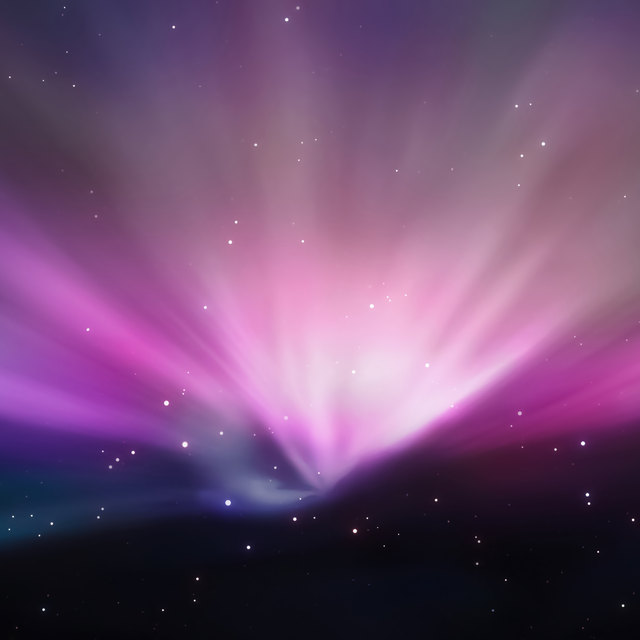 AuroraLight over a starfield
There was only ever one. A system-wide Dark Mode did not arrive until Mojave in 2018, so this page's light and dark appearances are ours, not Apple's — the switch in the corner still works, but the desktop of the day looked like this and only this.
Lineage
Apple named ten releases after big cats before moving to California in 2013.
macOS 10.5 · 2007
Time Machine, Spaces, Quick Look — and the last release to run on PowerPC.
macOS 10.6 · 2009
Almost no new features, on purpose. Grand Central Dispatch, OpenCL, half the disk space.
Compatibility
The last release to run on PowerPC Macs, and the last that could — with an unsupported edit — be coaxed onto a G4 below the official 867 MHz floor.